CBS Sports: Live Scores & News
- 4.5
- Rating
- 10.00M
- Installs
- Free
- Price

 Analysis by App-foxy
I installed CBS Sports because I wanted one practical place to check scores, follow sports news, and watch short video updates without jumping between several apps. After using it as part of a normal sports routine, I found that its biggest strength is not any single screen. It is the way it can turn a spare minute into a quick update: open the app, see what changed, read enough context to understand it, and move on.
That convenience matters most when I am not sitting down for a full game. I might be commuting, waiting for an appointment, or checking my phone during a break at work. In those moments, I do not want a long article first. I want the current score, the important headline, and a sensible path to more detail if the story is worth my time. This free sports app from CBS Interactive, Inc. is built around that habit, covering scores, news, videos, and related sports information for a broad audience.
The app has been available since August 30, 2011, and its long presence shows in the overall idea: it is designed as a general sports companion rather than a niche tool for one competition. Its store rating sits at 4.6 from around 246 thousand ratings, while more than 10 million people have installed it. Those figures suggest that it has become a familiar option for people who want a mainstream sports hub, although popularity alone does not make every part of the experience equally useful.
You May Also Like

 Pandora - Music & Podcasts
Pandora’s Music Is Easy to Start, but Harder to Recover
Pandora’s strength is its low-effort path from a seed to a station. Its weak spot is how much confidence it asks you to place in connection, setup, and quiet recovery.

 8 Ball Pool
 Is Built on Rivalries, Rematches, and Routine
A close look at the rivalries, rematches, shared routines, and unanswered safety questions that turn a quick pool match into a persistent mobile community.

 Samsung Music
’s Quiet Strength Is Playing What You Already Own
Its reach comes less from spectacle than from dependable access to a personal library. That simplicity is both the app’s strongest retention engine and its ceiling.

 AccuWeather: Weather Radar
AccuWeather Review: A Quick, Clear Forecast for Everyday Decisions
For everyday plans, the best forecast is the one you can understand quickly. AccuWeather makes rain timing, radar, and local conditions easy to act on, with a few trade-offs.

 Hill Climb Racing
Why Hill Climb Racing Still Turns Crashes Into One More Run
A tiny car, a bumpy hill and one more upgrade: Hill Climb Racing keeps resurfacing because its simple chaos makes every near-miss feel personal.

 AliExpress - Shopping App
AliExpress Makes Global Shopping Feel Personal, but Shoppers Bear the Risk
AliExpress turns a global marketplace into a pocket-sized discovery engine. Its reach is useful, its shopping loop compelling, and its trade-offs easy to miss.
More From Our News Desk
View All News


From a quick question to a useful sports update
I start with the simple question that usually brings me to a sports app: what just happened, and is it worth following? A quick score check can settle the first part, while a headline or video helps me decide whether I want more context. That small decision-making loop is what makes a broad sports app useful—and it also sets up the question of how smoothly it handles busier moments.
Starting with the problem I actually had
My typical starting condition is simple: I know something is happening in sports, but I do not yet know exactly what. Perhaps I remember that a team was scheduled to play, I saw a headline earlier in the day, or a friend mentioned a result without giving details. Opening the app gives me a way to answer that first question quickly instead of searching the web and sorting through unrelated pages.
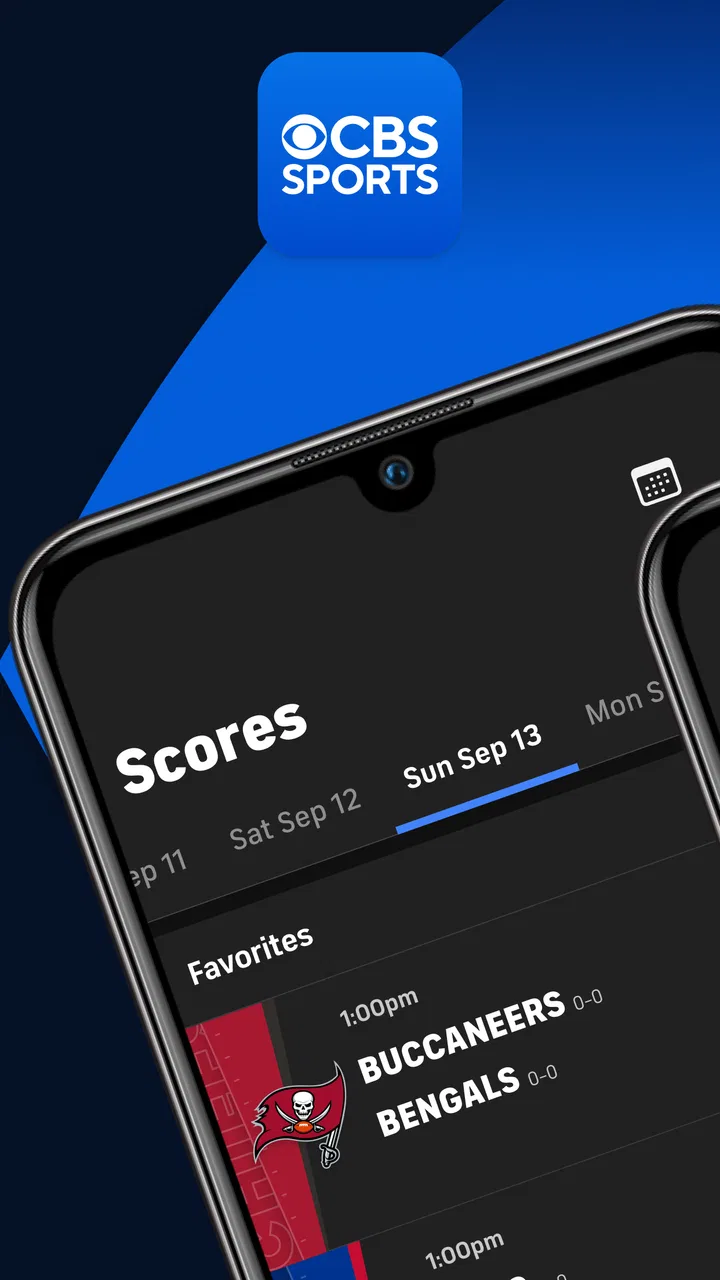
The first useful distinction is between wanting a result and wanting a story. If I only need to know whether a game is underway or finished, the scores area is the natural destination. If I want to understand why the result matters, the news and video sections become more useful. That sounds obvious, but it changes how I use the app: I do not treat every item as something to read. I use the score as the entry point and then decide whether the surrounding coverage deserves more attention.
This makes the app particularly suitable for casual followers who track several sports at once. A dedicated league app may go deeper into one competition, but it can be inconvenient when my interests change from a game to a transfer story, then to a video recap. CBS Sports gives me a broader starting point, which is often exactly what I need when I have not planned a specific search.
The step-by-step flow I settled into
My usual workflow begins with a glance at the current sports information. I look for the event or headline that matches what I came to check. If the score is the answer, I stop there. If the event is still developing, I open the item and use the additional information to build a clearer picture. This two-stage approach keeps the app from becoming a time sink.
When I am following a busy day, I prefer scanning first and reading second. The app works better for that than a traditional sports website that places large blocks of editorial content between the information I need. I can move from a broad overview to a specific story without beginning with a blank search box. That reduces friction when I am using one hand or only have a few seconds.
For news, I pay attention to whether the headline answers the immediate question or merely points toward a larger article. A headline can tell me that something changed, but the surrounding coverage helps me judge whether it is a major development, a routine update, or a story that needs more context. I would not use any single short item as a complete substitute for serious reporting, but the app is effective as a first pass through the day’s sports conversation.
Video adds another route into the same information. I use it when reading is inconvenient or when I want a more conversational explanation of a story. Short-form viewing is useful during a break, but it also changes the pace of the experience: video can make a quick check last longer than planned. My practical tip is to decide before opening a clip whether I want information or entertainment. That small choice prevents the video section from taking over a visit that began with one score.
Moving between scores, stories, and video
The most valuable handoff is from a score to context. A result by itself may tell me who won, but the related news can explain the significance, the current storyline, or what to watch next. I have found this especially helpful when I return to a sport after being away from it for several days. Instead of reconstructing the situation through multiple searches, I can use the score as an anchor and then follow the editorial trail.
The reverse handoff is useful too. I may open the app because of a news item and then check the relevant score to see whether the story is connected to a live event or a completed result. This keeps the app from feeling like separate products placed side by side. Scores give the news a time-sensitive frame, while news gives scores meaning.
There is a trade-off here. A broad sports app has to serve people with very different interests, so the experience can feel less focused than a league-specific application. If I already know the exact competition I want and need deep statistical tools, a specialist app may be faster. I choose CBS Sports when the question is wider: what is happening across the sports I follow, and which item deserves my attention?
The developer, CBS Interactive, Inc., also gives the app a recognizable editorial identity. That is useful for readers who prefer a general sports news destination rather than a collection of disconnected sources. At the same time, I still treat the app as a gateway to information, not as the only place I would go for every detailed analysis or specialist statistic.
What happens when I hand the update to someone else
A realistic everyday scenario is checking a game during a workday and then passing the result to a friend. I open the app during a short break, confirm the score, read the related headline, and send the essential outcome through whatever communication method I already use. The app’s role ends at the point where I understand the event; it does not need to become a full social network for that workflow to be useful.
Another scenario is planning a viewing evening. I scan the sports information earlier in the day, identify the events that matter, and return later for developments. In this situation, the app works as a lightweight planning tool. It helps me remember what is worth checking without requiring me to keep several browser tabs open. The limitation is that a general overview cannot replace a personal calendar or a dedicated schedule manager if I need precise planning across many events.
For a family member who follows sports casually, I would recommend starting with the scores rather than the news feed. That gives the app an immediate purpose and makes the amount of content feel manageable. Once the person recognizes the layout, the news and videos become optional layers instead of an overwhelming stream. This is one reason the Everyone content rating fits the app’s broad audience: it is approachable for ordinary household use, not only for committed fans.
Where the flow breaks down
The main weakness appears when I want a very specific answer and the broad presentation makes me work for it. A general sports hub is excellent at showing what is happening, but it is not automatically the best tool for researching a narrow historical question, comparing advanced performance details, or following one team with specialist depth. In those cases, I would switch to a dedicated source rather than force this app to do a job it was not designed to prioritize.
Another point of friction is attention. News, scores, and videos sit close enough together that a quick check can become a longer browsing session. I appreciate having choices, but I also need discipline. My most reliable habit is to enter with a clear task and leave once that task is complete. If I open the app without knowing whether I want a score, a story, or a clip, I am more likely to browse than to accomplish something.
The app is free to download and use, but in-app purchases range from about five dollars to nearly one hundred dollars per item. That does not automatically make the basic experience poor, yet it is worth keeping in mind before treating every optional part of the app as essential. I would begin with the free experience and only consider a purchase if it solves a problem I genuinely have. Someone looking for a completely uncomplicated, no-purchase sports utility may prefer a more narrowly focused alternative.
Compatibility is also relevant. The current version is 10.70, and the app requires at least iOS 9. That makes it accessible to a wide range of Apple devices, although the experience can still vary depending on the phone or tablet being used. On a smaller screen, the broad mix of content may require more scrolling; on a larger display, scanning several sports feels more comfortable.
Who gets the most from it
I think CBS Sports is a strong fit for someone who follows more than one sport, wants a recognizable source for daily updates, and values speed over deep specialization. It is also a good choice for a casual fan who wants to check a score without maintaining separate apps for every competition. The combination of scores, news, and videos means I can start with a tiny question and continue only when the answer leads somewhere interesting.
It is less suitable for a person whose entire routine revolves around one league and demands highly detailed tools. That user may be better served by an official competition app or a specialist statistics service. I would also hesitate to recommend it to someone who dislikes editorial feeds altogether and wants only a clean scoreboard. The extra coverage is part of the appeal, but it is also part of the clutter.
For readers concerned about whether it is appropriate for general use, the app is rated Everyone. That makes it an easy recommendation for ordinary sports fans, including people who are introducing a less experienced user to mobile sports coverage. Still, I would explain that the app contains a lot of information and that learning which section to ignore is just as important as learning where to tap.
Small habits that improve the experience
My first practical tip is to use the app in passes. On the first pass, scan only for the event or headline that brought you in. On the second, open one item for context. This prevents the broad sports coverage from burying the original purpose of the visit and makes the app feel much faster.
My second tip is to use video selectively. Video is valuable when I want an accessible explanation or a quick visual update, but it is not always the fastest route to a score. If I am standing in a queue, I check the written information first. If I have time to sit and listen, I move to video. Matching the format to the situation is a simple way to avoid unnecessary friction.
My third tip is to compare the app’s breadth with the depth you actually need. If I am checking several sports in one session, its general approach saves me effort. If I am investigating one team’s detailed performance, I stop using it as the sole source and move to a specialist option. The best workflow is not loyalty to one app; it is knowing when this particular tool has reached its useful limit.
A fourth insight is that the app works well as a conversation starter. I can use a score to identify the event, a headline to understand the immediate angle, and a video to pick up the broader discussion. That sequence is more useful than forwarding an isolated result because it gives me enough context to talk about what happened rather than merely announce it.
My final view after using it regularly
After working through that full routine, I see CBS Sports as a dependable general-purpose sports app rather than a replacement for every sports service. Its value comes from the handoff between quick scores and richer coverage. I can enter with a narrow need, find the answer, and choose whether to continue into news or video. That flexibility is more meaningful to me than a long list of individual sections.
The app’s 4.6 average and its audience of over 10 million installs reflect the fact that this approach works for many people. I would not use those figures as a guarantee that every device or every sports interest will feel perfect, but they do fit my impression of a mature, widely used product. The long-running release history also helps explain why the app feels like a complete sports destination instead of a single-purpose scoreboard.
I recommend it to friends who want free access to broad sports coverage and do not mind filtering a busy feed. I would steer a specialist fan toward a more focused alternative when detailed league tools matter more than variety. For everyone else, the best way to judge it is to begin with one real task: check a score, follow the related story, and see whether that path matches how you naturally consume sports.
My bottom line: CBS Sports is most useful when I need a fast starting point that can grow into a fuller update. It saves me from switching between several sources, but it asks me to manage my attention and accept that broad coverage will never be as deep as a dedicated sports tool. If that balance suits you, this free app is an easy one to keep on an iPhone or iPad.
FAQs for CBS Sports: Live Scores & News
01What platforms is the CBS Sports App available on?
The CBS Sports App is available for both Android and iOS devices. You can download it from the Google Play Store for Android or the Apple App Store for iOS. It’s designed to deliver a seamless experience across smartphones and tablets, ensuring you stay updated with the latest sports news and scores.
02Does the CBS Sports App offer live streaming of games?
Yes, the CBS Sports App provides live streaming of various games and sports events. However, access to live streams might require a subscription depending on the event or league. Always check the app’s live section for the latest on available streams and any subscription requirements.
03Is the CBS Sports App free to use?
The CBS Sports App is free to download and offers a wide range of features at no cost, including scores, news, and highlights. However, some features, such as live streaming of certain events, might require a subscription or in-app purchases. Be sure to review any in-app purchase options if you want full access to all content.
04Can I customize notifications in the CBS Sports App?
Yes, the CBS Sports App allows you to customize notifications according to your preferences. You can set alerts for your favorite teams, sports, or specific games. This ensures you receive timely updates and never miss important news or game results that matter to you.
05How reliable is the score and news update in the CBS Sports App?
The CBS Sports App is known for providing timely and reliable updates. Scores and news are updated in real-time, ensuring that users receive the most current information. The app sources its data from credible outlets, making it a trusted choice for sports enthusiasts looking for accurate and up-to-date information.
Pros
- Comprehensive sports coverage for various leagues.
- Real-time score updates keep you informed instantly.
- User-friendly interface with easy navigation.
- Customizable alerts for favorite teams and games.
- Includes video highlights and expert analysis.
Cons
- Some features require a subscription to access.
- Occasional ads can disrupt the user experience.
- Limited customization for news feed preferences.
- Notifications can sometimes be delayed.
- App can be slow to load during peak times.

CBS Sports: Live Scores & News
Gallery